
Cheetah 101 on your phone
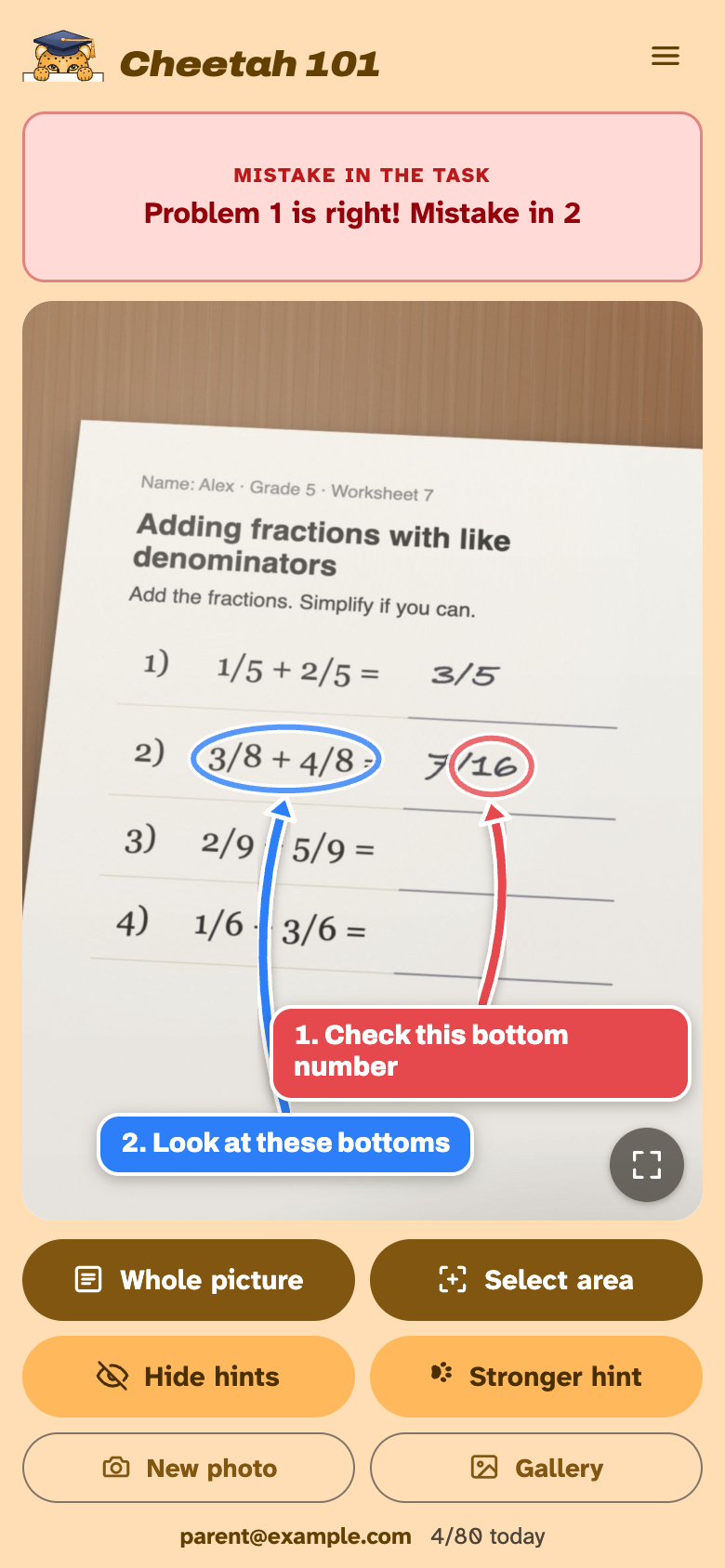
Your kid takes a photo of the paper homework. Arrows on the photo show where the next step goes, never the answer. For iPhone, iPad and Android, free, no app store.
Add it to the home screen
iPhone and iPad: in Safari tap , Share, View More, Add to Home Screen.
Android: in Chrome tap , Add to home screen, Install.
How it works
- 1
Take a photo of the task, flat and in good light. A picture from the gallery works too.
- 2
Press Whole picture, or Select area and draw a box around one problem for sharper hints.
- 3
Follow the arrows. Stuck? Stronger hint gives a clearer one, up to three paws. The answer stays with your kid.
The same account as the Mac app: sign in with a parent's email, up to 80 hints a day, free. Photos are not kept (privacy). Every button is in the manual.
